The first task in my mind was to get the front image of the lightbox designed. From what I have read, the best way to get a clean image for 3D printing is to create a SVG formatted file that I can import into it Tinkercad to generate a STL file that the 3D printer can use.
This is the image I am taking inspiration from:
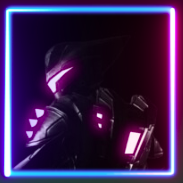
I want to be able to shine light through all of areas my brother has highlighted in pink, as well as the background behind Rathet.
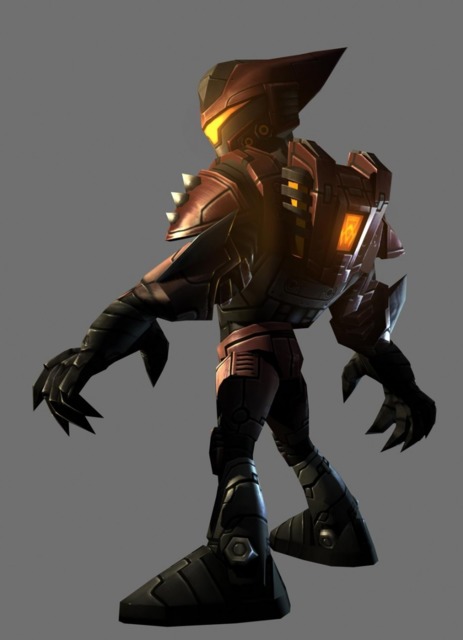
After spending some on Google, I was able to find the original image. I wanted to make sure the orientation and details matched as closely to the above image as possible:
From here, I used Gimp to make the original set of image modifications.
Gimp
Crop
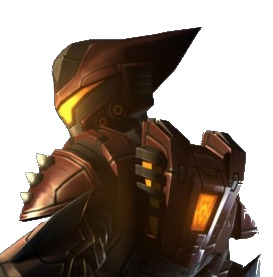
The first step was to crop the image and remove the background colour:
Highlight Details
I then highlighted the key areas I want light to come through:
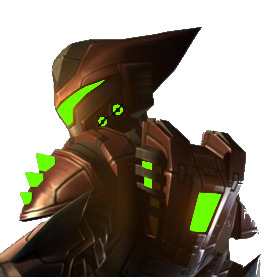
I decided to highlight the rings on Ratchet’s mask as well to give the light somewhere else to come through. All of the detail of his suit will be lost in the final product so I want it to have as much detail as possible. It’s a slight deviation from my bother’s profile picture but hopefully he won’t mind 😅.
Add Outline
I want the spikes on Ratchet’s shoulder to be illuminated, as well as the entire background. I needed to make sure there was a solid outline between the two so you can see the detail of the spikes:
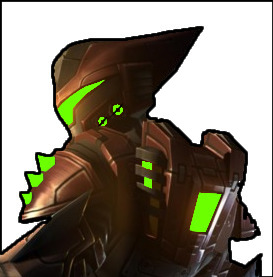
Remove Other Details
The last step was to end up with an image showing only the areas I want the light to come through:
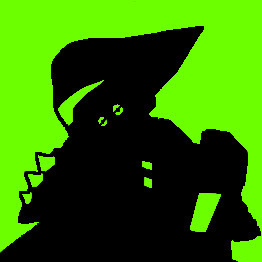
This is a basic representation of what I hope the lightbox will look like. The green areas are where light will come through, the back is what will be 3D printed.
Inkscape
The edges on the JPEG image above are not very clean and if I want to scale this image up, it will get blurry. I read about using a feature in Inkscape called “Bitmap tracing” to convert an image to the SVG format. SVG is a vector-based format at retains it’s detail, no matter the scaling.
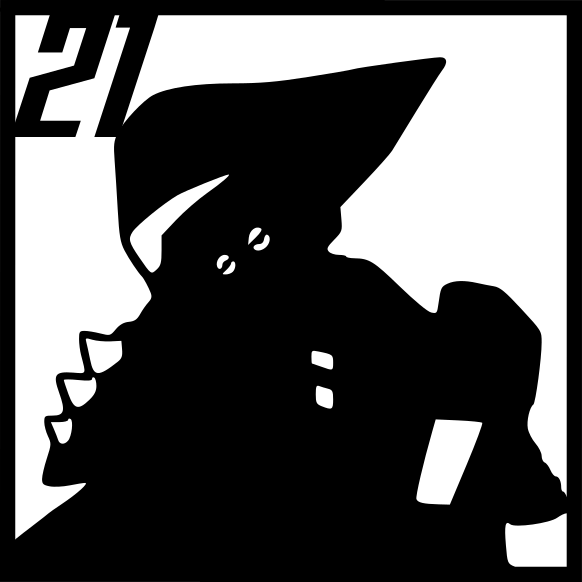
I wanted to add a border and “21” to the final image. This is what I ended up with: